
CarbonGuru Offsetting is live on the Stripe App Marketplace. Install it on your Stripe account and every product you sell gets a carbon footprint, shown where your customers already see your prices, and offset automatically when the invoice is paid.
What it does
- Measures your catalog. The app reads your Stripe products and prices and calculates a carbon footprint for each one from the product’s own data. Monthly and annual prices are measured separately, so each gets its own footprint.
- Shows the footprint at checkout. Turn on checkout display and the app adds one footprint line to each product description you switched on. Stripe already shows those descriptions on Checkout, Payment Links, the customer portal and invoices.
- Offsets every paid order. When a Checkout Session or an invoice is paid, Stripe tells the app, and the carbon in the products you switched on is offset or removed from the portfolio you chose.
It is billed to your CarbonGuru account. Your customers pay nothing extra and your checkout is unchanged.
Set up in the Stripe Dashboard
Install from the Marketplace, connect a CarbonGuru account, and run a catalog analysis. From then on the app’s settings page in your Dashboard tells you what is connected, how many of your products are live, and whether the footprint line is being written.
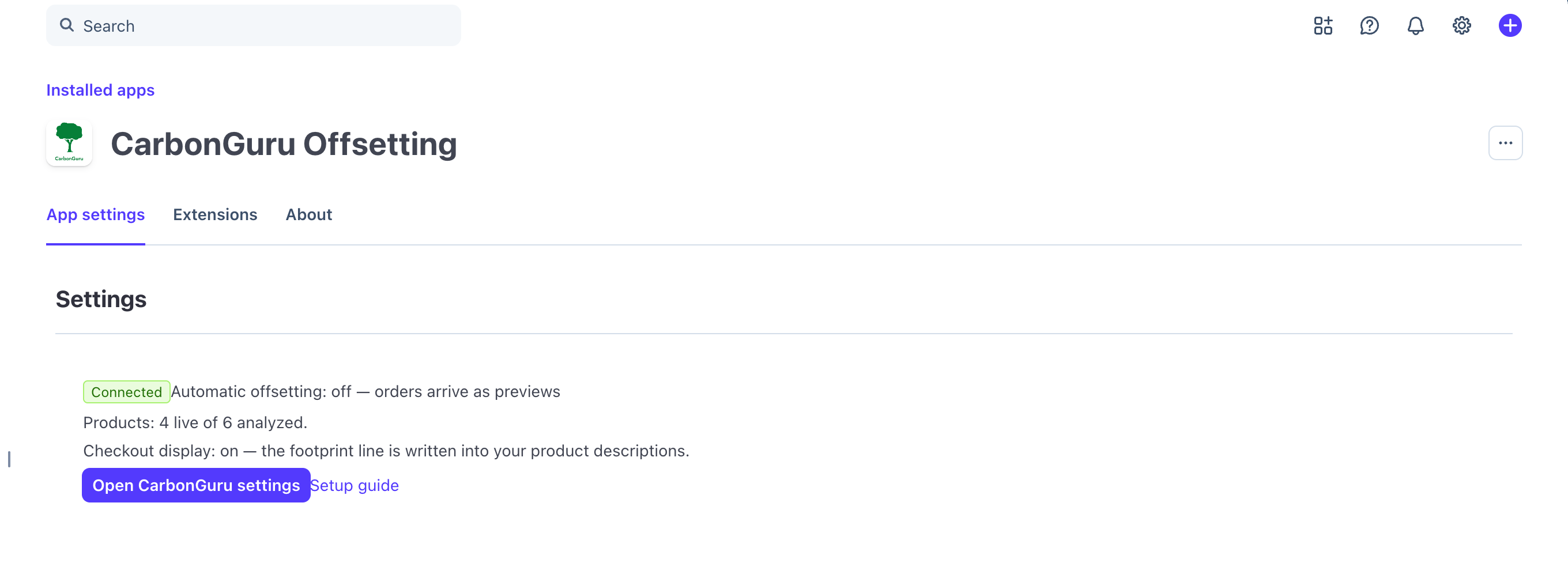
You choose which products count. Switch on the ones you want measured and leave the rest alone. Automatic offsetting is off until you turn it on, so orders arrive as previews first and you can see what they would cost before anything is bought.
Your customers see it where they already are
The footprint line sits in the product description, so it appears wherever Stripe shows that description. No new page, no extra step, nothing for the customer to accept.

By default the line carries two things and no more: the footprint, and what happens to it — Carbon footprint 1 kg CO₂e · offset at purchase with CarbonGuru. You can choose to show the offset cost and the climate impact as well, in the same order the Embedded Offsetting card uses. Turn automatic offsetting off and the line falls back to the measurement alone: we would rather show a customer less than print a promise about an order we are not going to act on.
One limit worth knowing before you switch it on: a product sold at more than one price, or one with no description of its own, is never written to. Its footprint still shows in your CarbonGuru panel and on the order receipt.
Who it is for
- Businesses that bill through Stripe. Subscriptions, invoices, Payment Links and Checkout — anywhere Stripe collects the money, the app can measure what was sold and offset it.
- Companies that want the claim to be real. Every paid order is offset from a portfolio you picked, and every purchase appears in your history with its receipt. The retirement is handled for you.
Pricing
The app is free to install. Offsetting requires a CarbonGuru account on the Plus plan or higher, billed by CarbonGuru rather than through the app. Offsets and removals are charged to the payment method saved in your CarbonGuru account, through PayPal for offsets and Stripe for removals, at the price shown in your panel before you turn automatic offsetting on. By default the charge is made once a day, for all of that day’s orders. Retired carbon cannot be un-retired, so purchases are final.
Get started
Install CarbonGuru Offsetting from the Stripe App Marketplace. Setting up with Stripe walks through the connection step by step, and CarbonGuru for commerce covers the other ways to show footprints and offset orders in your store.