
CarbonGuru for commerce — embed carbon footprints and automated offsets in any store, catalog, or marketplace
Offset every product you sell.
Showcase sustainability action.
Automatically - affordably.
Consumers and business buyers worldwide reward sustainable products and sellers with faster growth, higher demand, premium pricing, recommendations and loyalty, better profitability and brand equity.
CarbonGuru shows carbon footprints for every brand, product, and service, embedded directly in your store, catalog, or marketplace, then offsets the climate impact in front of your customers — for a fractional percentage cost.
Your customers see sustainable action, are never charged, and never leave your store. Setup in moments – automate everything with your regular AI agents and tools.
For B2C and B2B
For every platform: For your store · For Stripe sellers · For PayPal sellers


Customers Reward Sustainability & Action
4.9×
Products marketed as sustainable grew 4.9 times faster than conventional products.
26.6%
Average price premium for products marketed as sustainable.
43%
of consumers are more likely to buy from sustainable brands, and 63% are more likely to recommend sustainable products.
45%
of consumers will pay a premium to reduce their carbon footprint.
80%
of B2B buyers pay premiums for sustainable products. Half spend more with sustainable suppliers, and half will switch suppliers for sustainability.
20%
more growth over four years for brands with a strong sustainability reputation. Sustainability perceptions drive 6% of brand equity, 5.4% of demand and 6.5% of pricing power.
Customers pay more for sustainable products. Offsetting yours costs a fraction of a percent of the price.
See the live demo store →Embedded Offsetting
Footprints and offsetting for every product
Display and offsetting, independent
Show every product’s footprint, offset every customer order — or both; each works on its own.
Display your products’ carbon footprints
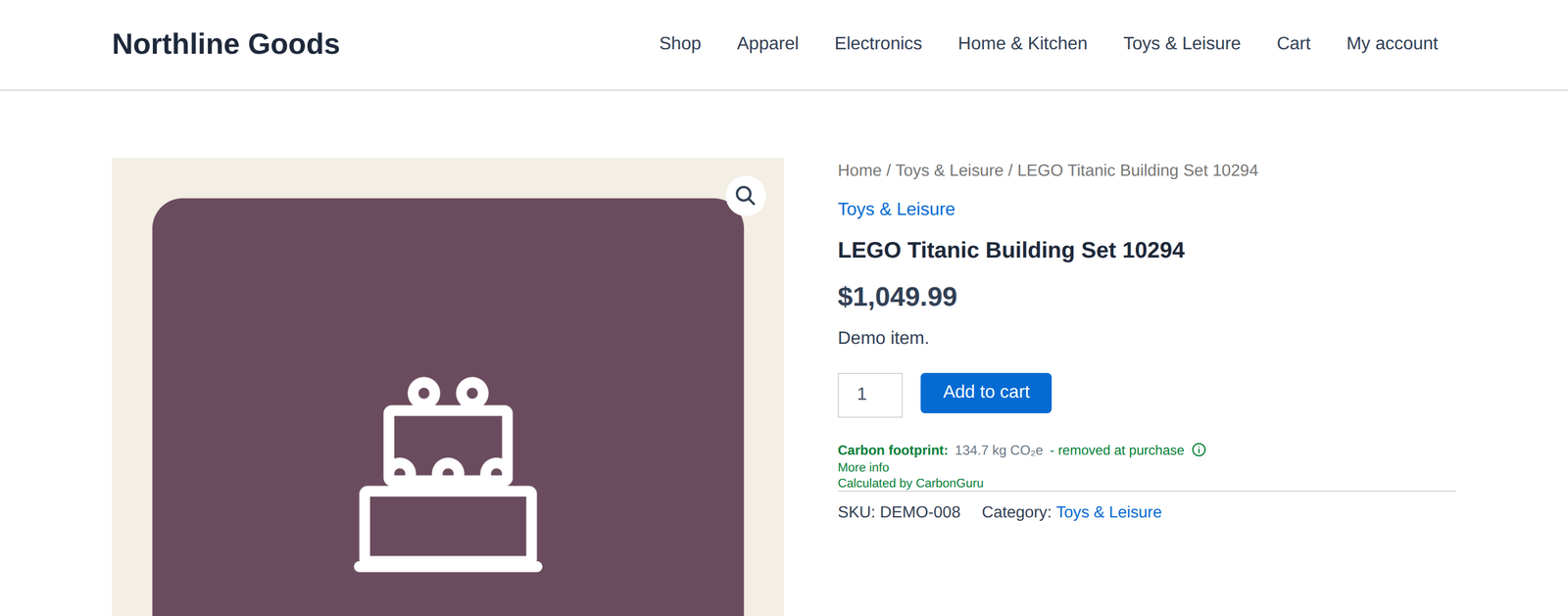
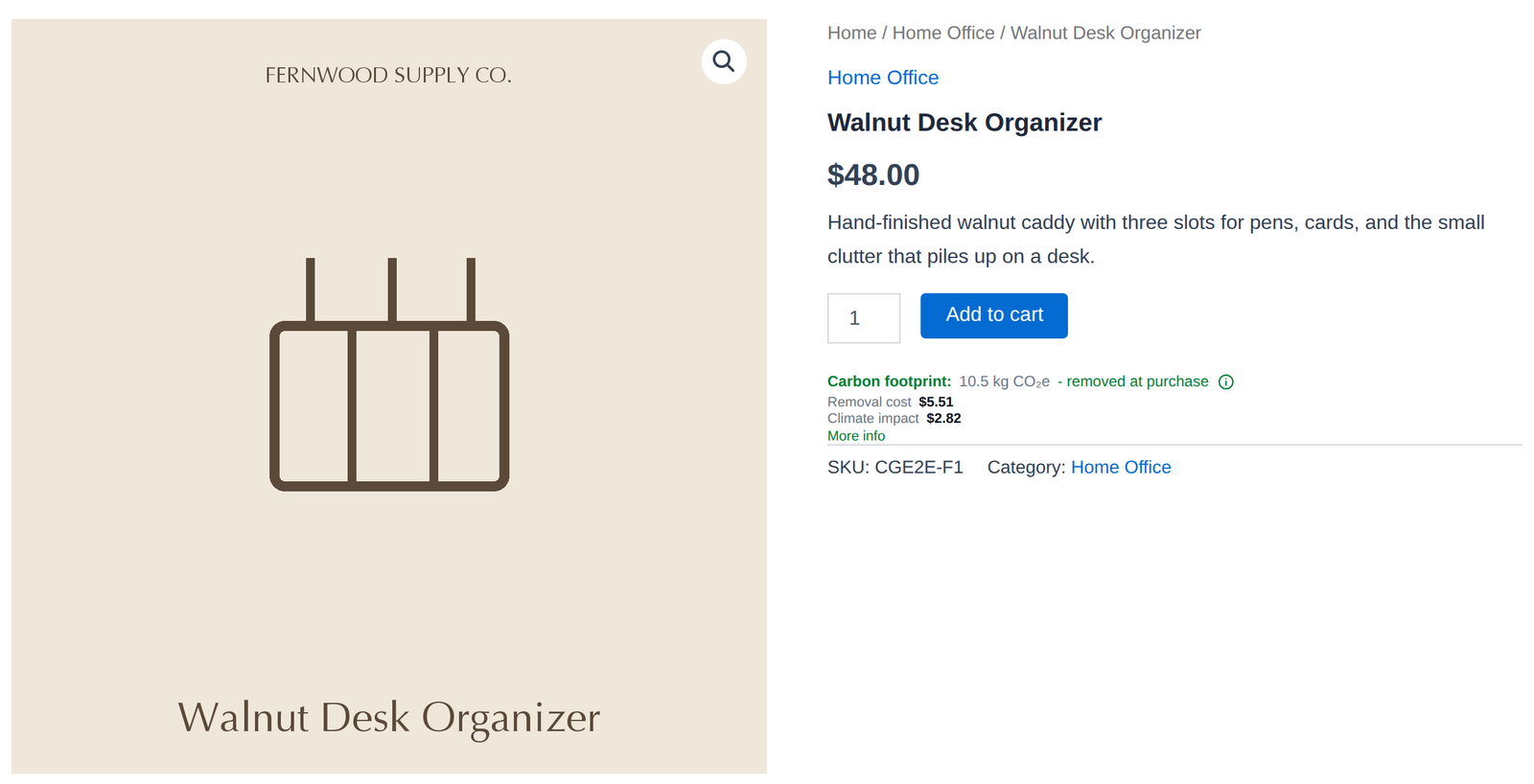
Every product page in your catalog can show that product’s carbon footprint, styled to inherit your theme — activate your whole range or just the lines you choose, and nothing is ever estimated or guessed. Pricing pages, collections and landing pages get one footprint tile per product. On WooCommerce, install our free plugin from Plugins → Add New and it places the card for you; on any other platform, add one snippet. Use it on its own, with offsetting switched off, or alongside it.
Offset your customers’ orders automatically
Turn on automatic offsetting and every order, from every customer, is matched to its products and offset or removed — your entire storefront covered, or only the products you pick. Works with WooCommerce, Shopify, Stripe (Checkout, Payment Links, Invoicing and Billing — any business that bills through Stripe, not only stores), PayPal, BigCommerce, Wix, Squarespace, or any store that can send an order — your checkout keeps working exactly as it does.
Give your customers proof, not friction
The footprint on the product page and, if you choose, on the checkout page itself — the CarbonGuru app for Stripe writes the footprint line into your Stripe products so Checkout, Payment Links and invoices show it, and PayPal prints the line you pass with each item. Add a confirmation card on your thank-you page plus a receipt they can open. Your customers are never asked to pay and never leave your store.
Connect orders from any platform
A native WooCommerce, Shopify or Stripe app, one small addition to your PayPal fulfillment handler, Zapier or Make for BigCommerce, Wix, and Squarespace, a BCC of your order-confirmation emails, or a POST from your own platform. Your cart and checkout are never modified, and we never hold your processor keys.
Control every switch
Preview first with nothing charged, activate your whole catalog or a handful of lines, and choose offsets, removals, or both.
Analyze the products you sell and the vendors behind them
Estimate footprints across your catalog and supply chain: products, materials, packaging, vendor purchases, and shipments — before or after checkout.
Import catalogs and business documents
Upload product catalogs, supplier invoices, order exports, CSVs, Excel files, and PDFs to turn store activity into carbon-footprint records.
Put your AI agent to work
Connect Claude, ChatGPT, or your own agent to any linked source and get per-item and total footprint, climate cost, and one-step offsetting for the whole set.
Find high-impact products and better alternatives
Identify which products, categories, and suppliers contribute most to your footprint, then compare SKUs and vendors using carbon impact alongside cost and margin.
Create transparent records of action
Track analyses, actions, offsets, removals, methods, and project-backed climate activity for internal review, stakeholder communication, and customer-facing proof.
For Every Platform
Footprints and automatic offsetting everywhere you sell
Embedded Offsetting is included in every paid plan.
WooCommerceNo code
Free plugin from WordPress.org: footprints on your product and shop pages, and an offset or removal for every paid order.
Get the plugin →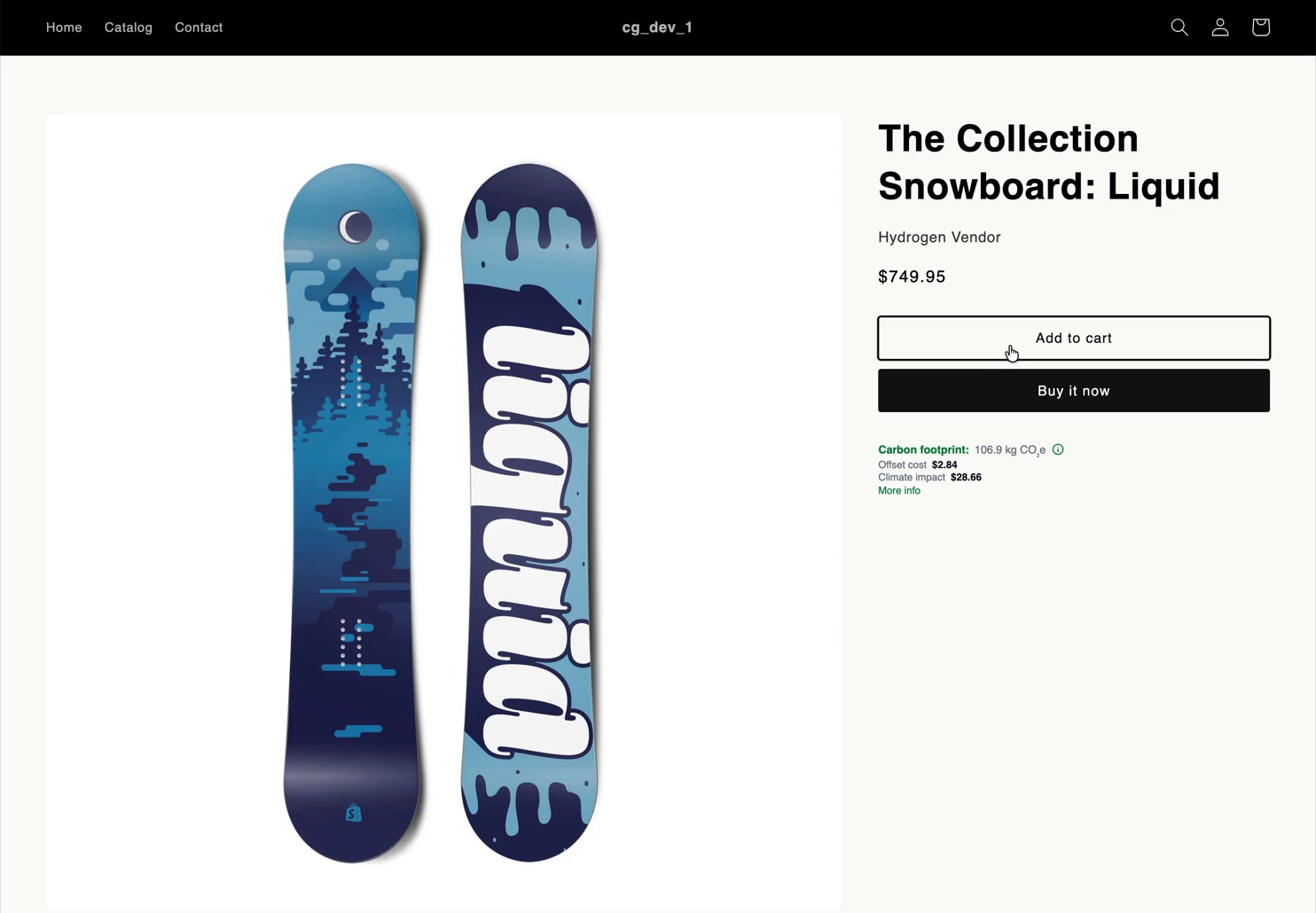
ShopifyIn App Store review
The CarbonGuru Offsetting app places footprints on product pages, in the cart and on the thank-you page from Shopify’s own editors. We send install links on request.
Shopify setup →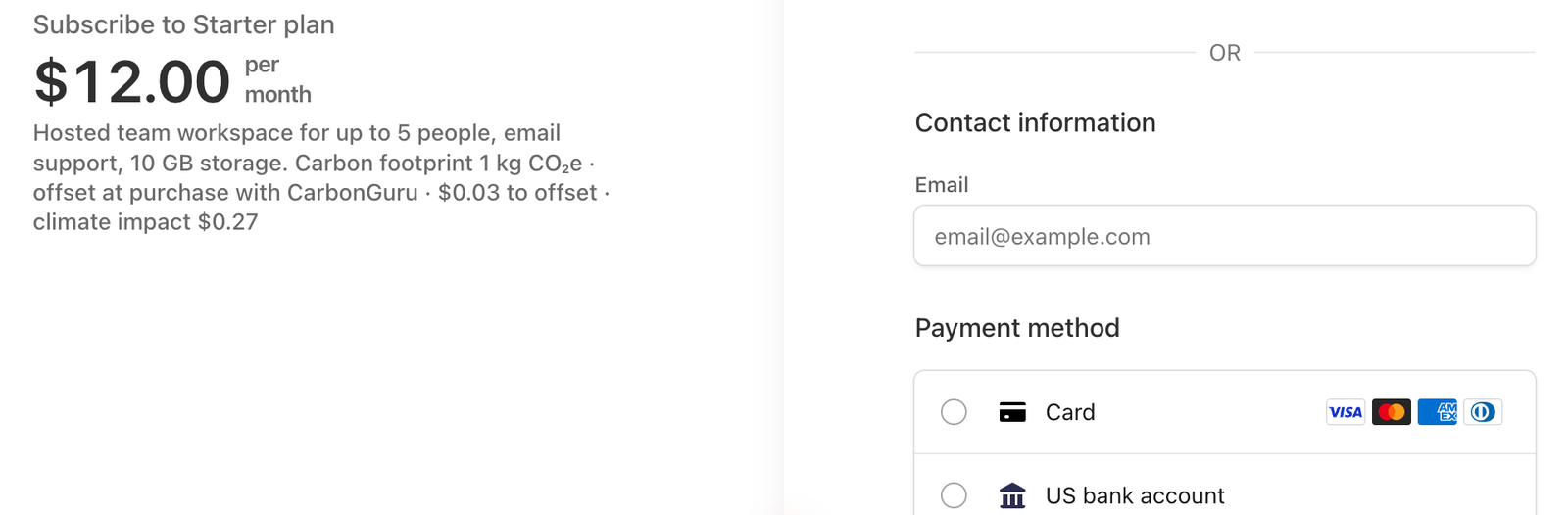
StripeNo code
The CarbonGuru app writes the footprint and offset into your Stripe products, so Checkout, Payment Links and invoices show them, and offsets every paid invoice and Checkout order.
Stripe setup →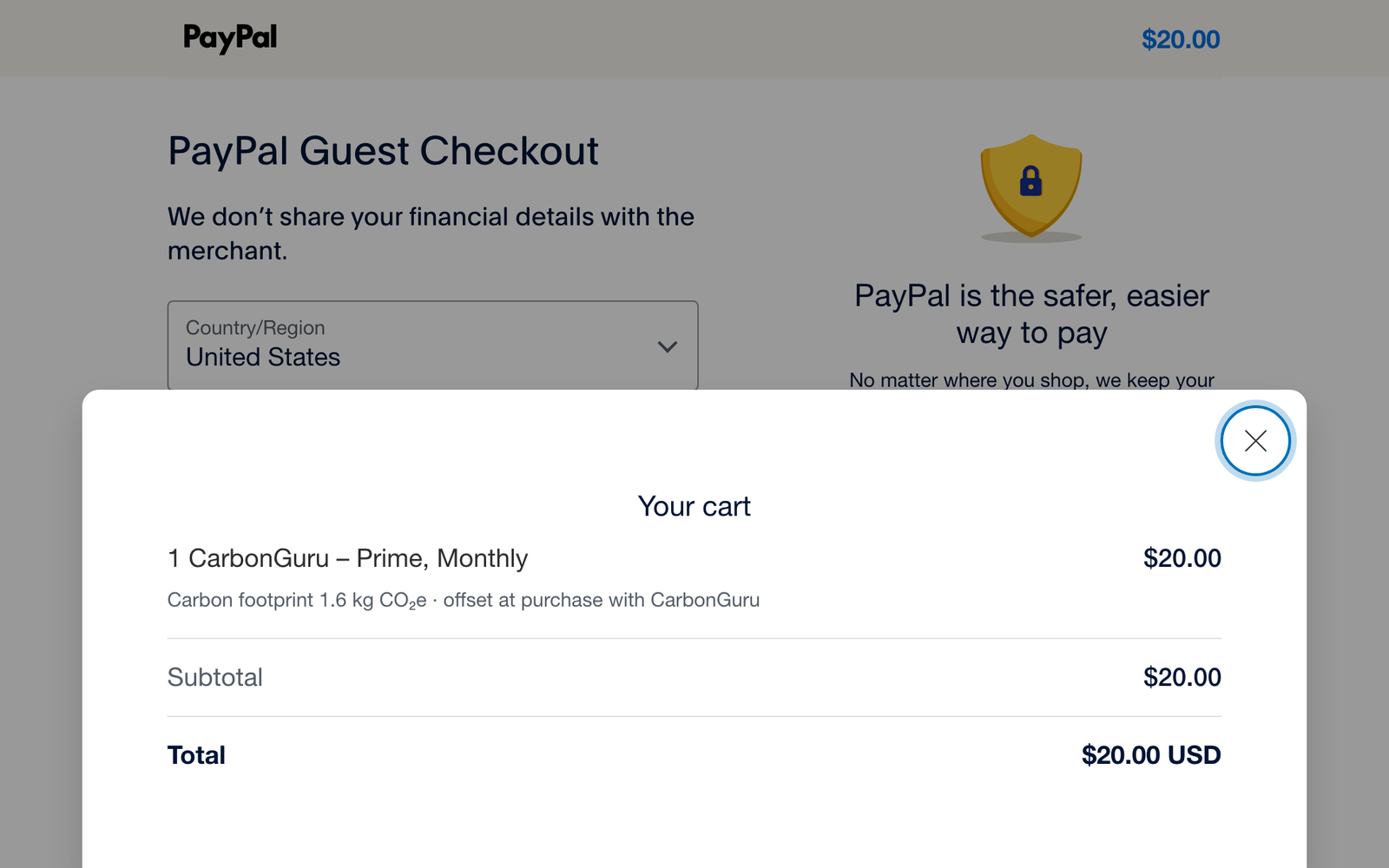
PayPalYour developer
Your code passes the footprint line as each item’s description, so PayPal Checkout shows it, and one small addition to your fulfillment handler offsets every paid order and subscription payment.
See the PayPal setup →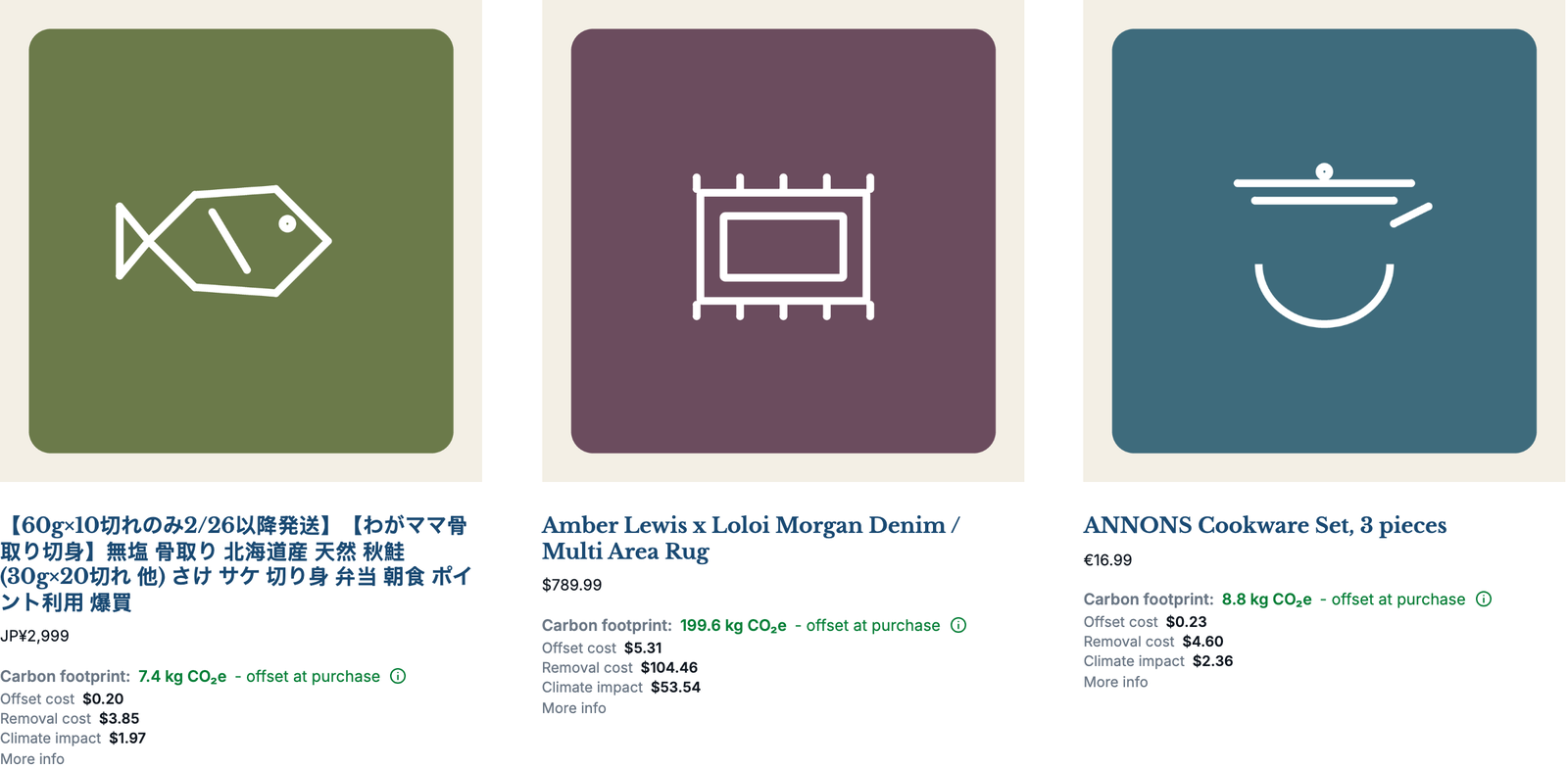
Any websiteOne snippet
One snippet puts a footprint card on product pages and a tile under each product on listing and pricing pages. Orders reach CarbonGuru through Zapier or Make, a BCC’d order email, or your own POST.
How it works →# a product’s footprint and offset price, by SKUcurl -H "Authorization: Bearer $CARBONGURU_API_KEY" https://carbonguru.io/v1/store/footprints/{sku}
# returns carbon_kg, offset_price_usd, removal_price_usd, social_cost_usd
# returns carbon_kg, offset_price_usd, removal_price_usd, social_cost_usd
Custom or headlessYour developer
The CarbonGuru API: push your catalog, read each product’s footprint and offset price by SKU, and post paid orders for automatic offsetting.
API overview →Understand & Act In Seconds
Two simple steps
Show the carbon footprint of everything you sell — then offset your customers’ orders without interruption.
1
Show the product’s carbon footprint.
CarbonGuru shows up where your customers already are — on your product pages — with the same insight and impact, exactly where buying decisions happen.
SnippetPaste one snippet into your product template and every product page can show its own footprint, styled to inherit your theme — or drop one tile per product on a pricing page or collection. Nothing displays until you switch a product on.
CatalogPopulate footprints your way — let CarbonGuruBot scan your store, upload your catalog as a file, or let the card register each product the first time its page loads.
OrdersConnect orders from any platform — WooCommerce, Shopify, Stripe, PayPal, BigCommerce, Wix, Squarespace, or your own — with a native app or webhook, one addition to your fulfillment handler, Zapier or Make, a BCC’d order email, or your own POST.
AI agentUse your preferred AI agent — Claude, ChatGPT, or any MCP — to analyze your products and the business behind them: footprints, climate cost, and action on the whole set.
2
Offset the climate impact for customers.
Your customers see the footprint on the page; you offset right where orders happen — every paid order matched to its products, automatically, on your account.
+Choose what to act on — your entire storefront or only the products you pick; offer offsets, removals, or both.
+Every order handled in one step — verified offsetting and removal on your account, carbon-credit retirement automatic, certificates naming your business as beneficiary.
+Preview before you commit — watch real orders match with nothing charged until you turn automatic offsetting on.
Anything in your browser — see the footprints, know the impact, offset instantly
In Gmail and email — turn receipts, invoices, and orders into action, automatically
Automated footprint analysis and climate impact offsetting — via Agent and AI
Try free | Start free
Embedded Offset Demo
Get Started
Show carbon footprints on any product, and offset every customer purchase automatically.
Established science · Intelligent technology · Global scope · Verified action
How CarbonGuru works
CarbonGuru covers almost anything bought, sold, or processed in the global economy, and at almost any scale — from a single t-shirt to a university’s annual operations.

Fast, accurate analysis
Detailed estimates in seconds, from everyday sources: product pages, shopping carts, email receipts, documents, and plain text — on Amazon, local boutiques, webmail, and more.
Lifecycle analysis, grounded in established science
AI identifies what you purchased, then Environmentally-Extended Input-Output (EIO) analysis calculates the footprint across the full lifecycle — raw materials, manufacturing, packaging, shipping, and delivery. Every estimate is the cumulative footprint up to the point the item is in your hands.
Works everywhere, in any language
From Amazon to local boutiques, email receipts to product pages and business documents — automatically, in nearly 120 languages, with detailed economic and environmental models for over 140 countries.
How we calculate →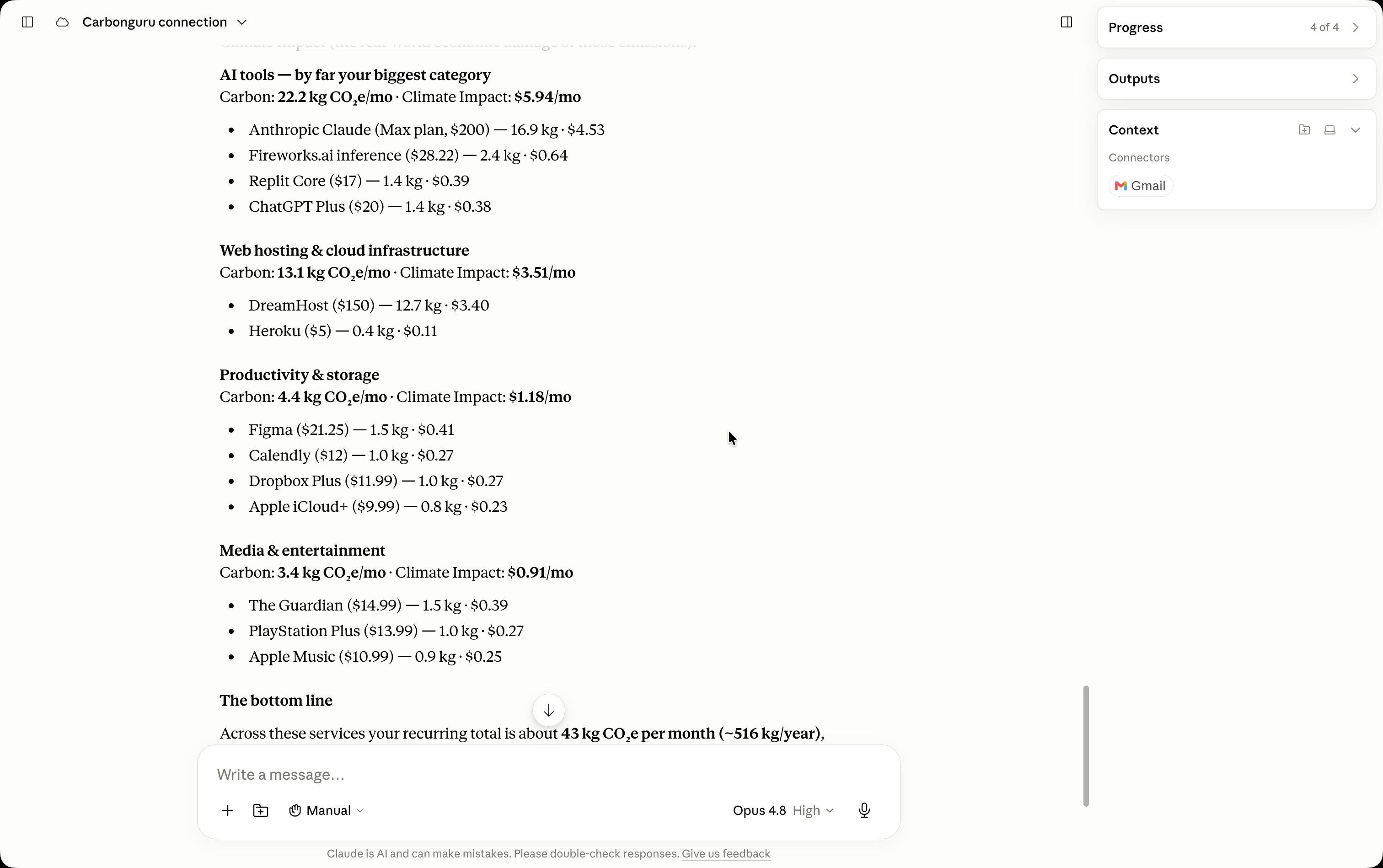
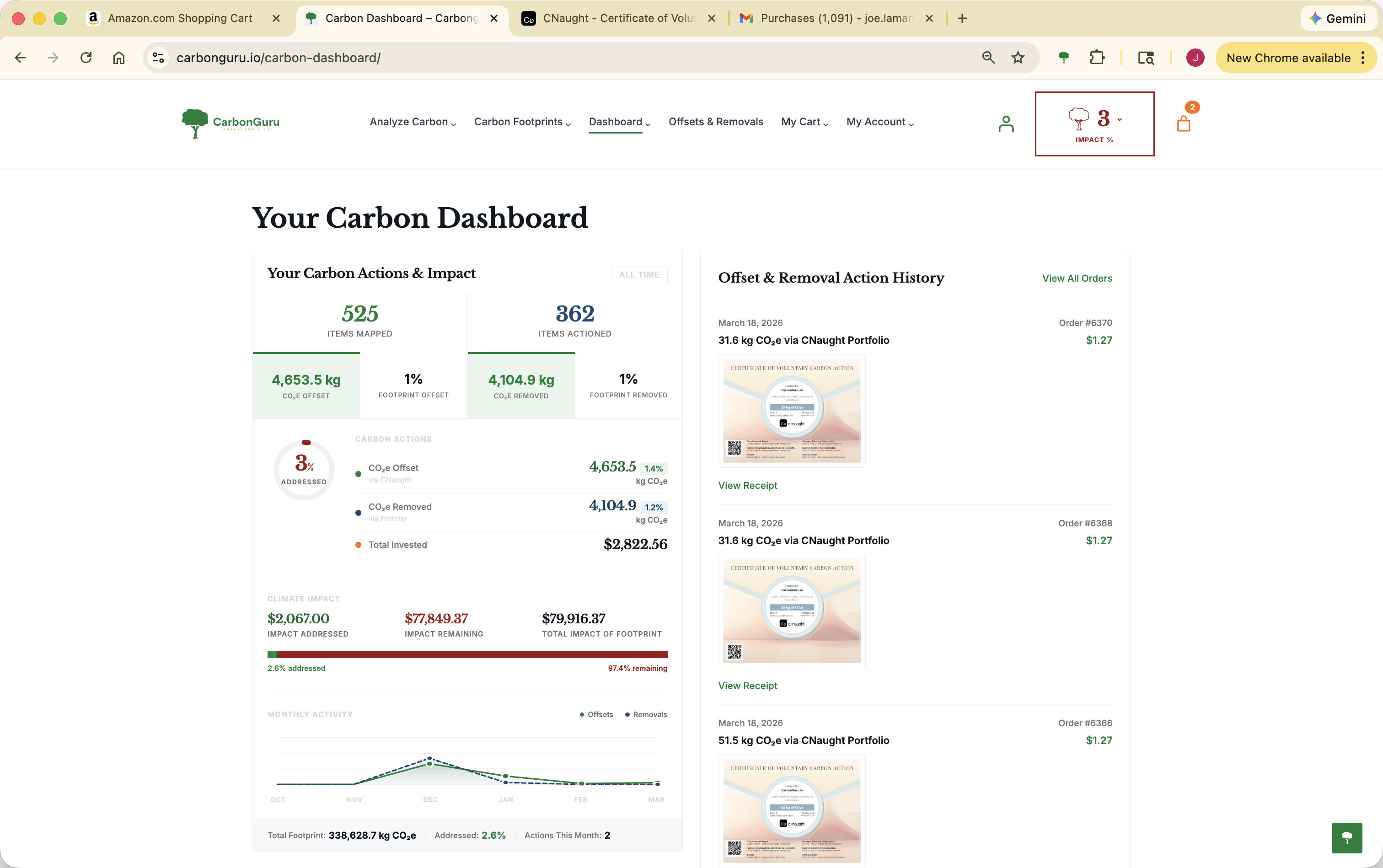
Clarity you can use
Understand the climate impact of what you buy and do, in depth, without needing to be an expert. Every footprint comes with the context that makes it meaningful — not just a bare number.
A standard, global unit
Results are reported in kg CO₂e — the internationally recognized measure — alongside a real-world climate-impact cost, so the figure is easy to understand anywhere in the world.
Relatable comparisons, built in
CarbonGuru provides relatable comparisons for many items automatically, from common cost-of-living indexes.
Review, track, and stay transparent
A running dashboard tracks your footprints and the actions you take — right from the result, no extra steps or tools. Every figure shows its method and sector classification, so the authority is on the page, not hidden.
See CarbonGuru in action →
Short video walkthroughs in the browser, inbox, and with your AI agent.
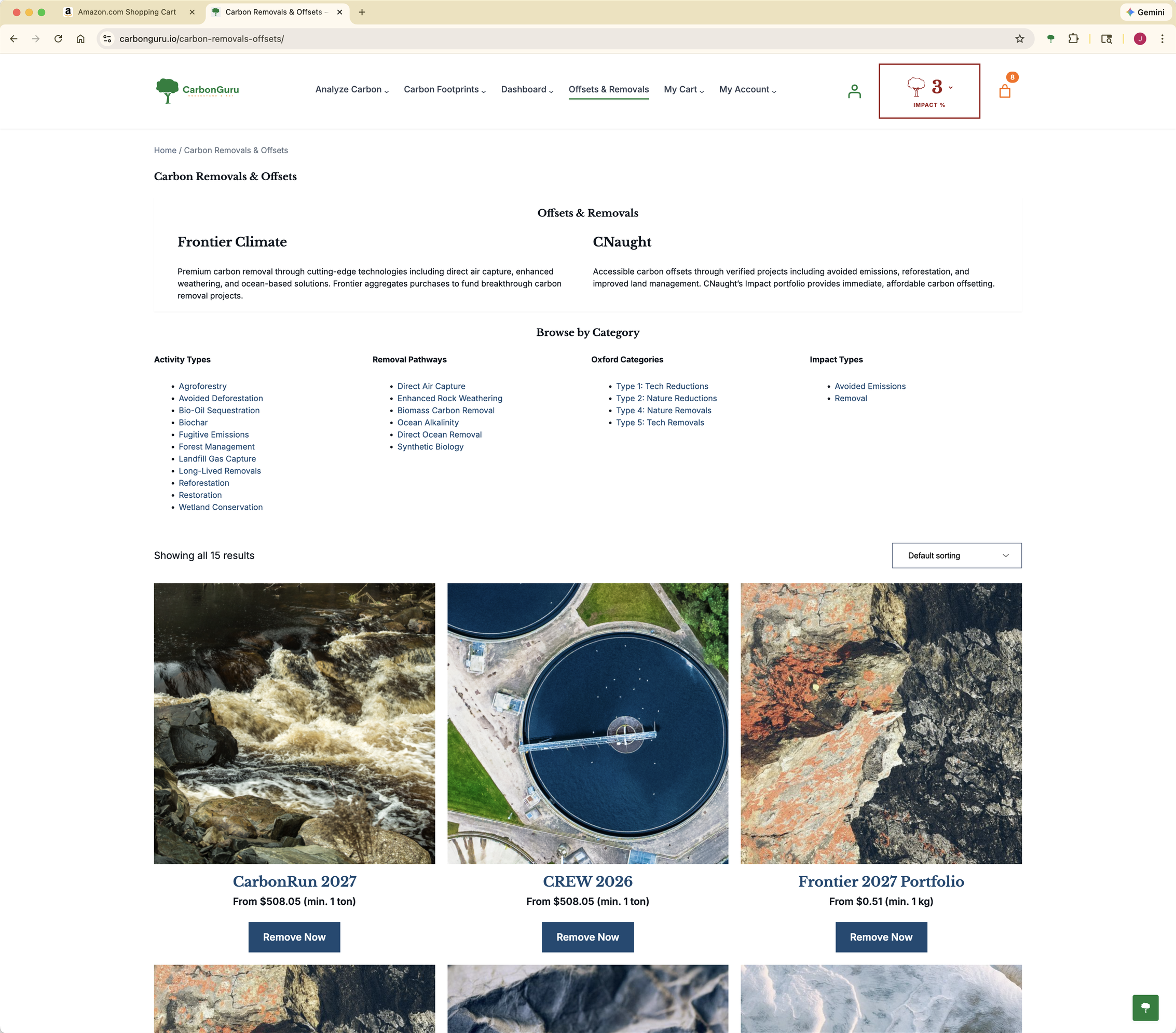
Immediate, verified action
Turn awareness into impact with vetted offsets and removals you can fund immediately — reviewed and acted on right from the result, with the credit purchased and retired for you automatically.
Carbon Offsets
Prevent or reduce emissions elsewhere — nature-based (avoided deforestation, reforestation, regenerative agriculture), community (clean cookstoves, renewable energy), and industrial avoidance (methane capture, landfill gas).
Carbon Removals
Actively draw CO₂ back out of the atmosphere — biochar sequestration, enhanced rock weathering, direct air capture, and ocean-based CDR.
Verified, traceable projects
Credits are sourced through CNaught, Frontier, and Stripe Climate — working with leading registries including Gold Standard, Verra (VCS), Puro.earth, and Isometric, with independent third-party auditing, transparent monitoring, and rigorous additionality testing. Every credit is traceable to a specific project and place.
Personalized, and at any scale
Fund the exact action you choose, tailored to what you analyzed. Quantities scale from a single item (under 1 kg CO₂e) to bulk, per-tonne actions — act on one purchase, offset an entire shipment, or remove carbon for a group of suppliers, immediately from the result.
See CarbonGuru in action →
Short video walkthroughs in the browser, inbox, and with your AI agent.
Plans & Pricing
Climate action at a small cost per sale.
Embedded Offsetting is included in Plus ($5/month), Pro ($10/month), Prime ($20/month) and Premier ($40/month). CarbonGuru bills offsets and removals to your CarbonGuru account at the prices shown in your panel before anything is charged. Your customers pay nothing.
Monthly
Annual Save 17%
Lead
Free
Unlimited free analysis via reset
- 30 items / month
- Resets at $2 in purchases
- Text, URL, cart & email analysis
- Connector for Claude, ChatGPT, and other AI assistants
- CarbonGuru API access
Plus
$5 / mo
$50 / year Save 17%
Gmail API & analysis via email
- 200 items / month
- Resets at $5 in purchases
- File upload — CSV, Excel, PDF, docs
- Embedded offsetting — WooCommerce, Shopify, Stripe, PayPal, any online store
- Connector for Claude, ChatGPT, and other AI assistants
- CarbonGuru API access
Most Popular
Pro
$10 / mo
$100 / year Save 17%
Direct business data import, automated offsetting
- 500 items / month
- Resets at $10 in purchases
- Embedded offsetting — WooCommerce, Shopify, Stripe, PayPal, any online store
- Connector for Claude, ChatGPT, and other AI assistants
- CarbonGuru API access
Prime
$20 / mo
$200 / year Save 17%
High capacity analysis & offset
- 1,250 items / month
- Resets at $20 in purchases
- Everything in Pro — higher capacity
- Embedded offsetting — WooCommerce, Shopify, Stripe, PayPal, any online store
- Connector for Claude, ChatGPT, and other AI assistants
- CarbonGuru API access
Premier
$40 / mo
$400 / year Save 17%
Product catalogs, stores, marketplaces - retail and B2B
- 3,000 items / month
- Resets at $40 in purchases
- Everything in Prime — the highest capacity
- Embedded offsetting — WooCommerce, Shopify, Stripe, PayPal, any online store
- Connector for Claude, ChatGPT, and other AI assistants
- CarbonGuru API access
Monthly rolling window. Unused analyses don't carry over. Your counter resets on the 1st of each month, and also resets early when your cumulative offset or removal purchases reach your tier's reset threshold.
Larger catalog? Email support@carbonguru.io.
Set up your store
Get Started
3 ways to get started — know carbon footprints, understand climate impact, and take action in minutes
Already have an account? Sign In
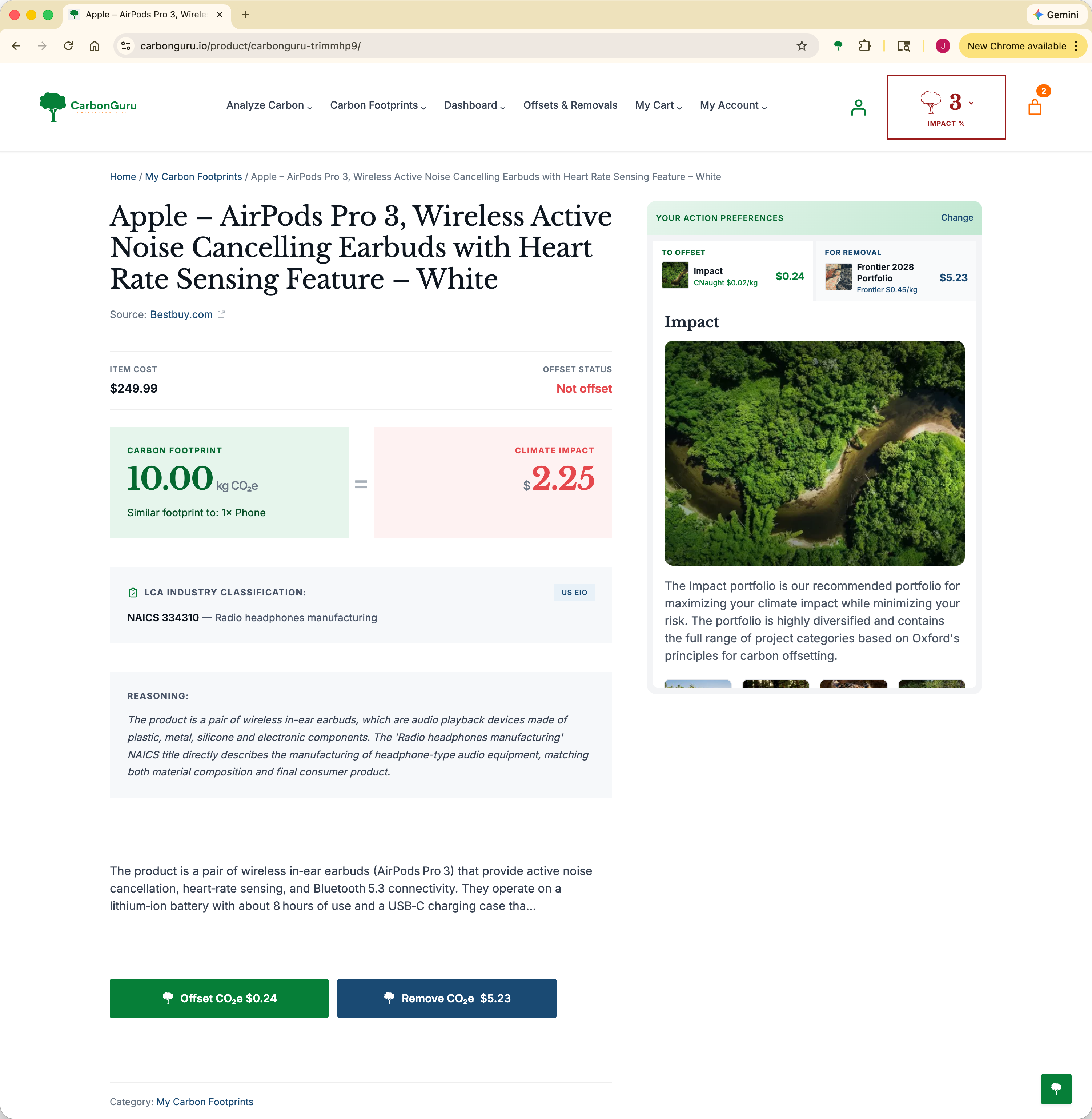
Choose an item to see the carbon footprint details. Click the Offset CO₂e or Remove CO₂e buttons to add the offset to your cart. Immediately purchase your offset by checking out, like any store.
Go to My Carbon Footprints →Already have an account? Sign In
- Individual Products & Services
- Go to any product page with product and price information, click Carbon Footprint.
- Shopping Carts
- Go to any shopping cart or checkout page.
- Multiple Products
- Category listings, buying guides, wishlists, or “best sellers” pages.
- Orders & Order History
- Order confirmations, order history lists, order details pages.
- Selected Text
- Select text on any page, click the CarbonGuru tree. Include name, description, and price. Select multiple to compare.
Step by step guidance on quickly getting Carbon Footprints →
Other MCP Client
Connect via any MCP-compatible client
https://carbonguru.io/mcp
Your agent will prompt you to create a CarbonGuru account when you first use it. Or create one now:
Already have an account? Sign In
- "What is the carbon footprint of this product? [paste URL]"
- "Analyze my Amazon cart and find the highest-impact items."
- "Show my carbon footprint history for the last 3 months."
- "How much would it cost to offset my purchases from last week?"
- "Find a lower-carbon alternative to this product."
Every CarbonGuru account includes the API, the free plan too. Creating your account here takes you straight to the API section of your account, where you make your key.
Already have an account? Sign In
Name the key and give it only the permissions it needs: carbon:read for history, usage and reference data, carbon:analyze for analyses, carbon:commerce for offsets, and carbon:merchant for a connected store. The key is shown once, so keep it on your server.
This request returns your account, your plan and your analysis totals. It needs the carbon:read permission.
curl -H "Authorization: Bearer $CARBONGURU_API_KEY" https://carbonguru.io/v1/usageThe API reference lists every endpoint, and the API overview explains what each plan reaches.
Already have an account? Sign In
The Embedded Offsetting panel walks you through every step: accept the merchant terms, connect your store, choose your offsets, activate your products, and turn on automatic offsetting. Creating your account from this card takes you straight there.
Open the Embedded Offsetting panel →Want to try first?
Get a 30-minute guided demo — no account needed.
Already have an account?
Sign In
FAQ
Questions merchants ask
Embedded Offsetting for Shopify, WooCommerce, Stripe, PayPal and any online store — and for any business that bills through Stripe.
What is Embedded Offsetting for stores?
Embedded Offsetting puts a real carbon footprint on every product you sell and offsets the carbon in each paid order automatically. The footprint is measured from your own catalog, product by product, not estimated from order totals or category averages. Shoppers see the footprint on the product page and, if you choose, on your shop and collection pages, in the cart, and after the order is placed; you decide which products take part.
It is merchant-settled: the offset purchases are billed to you, your shoppers are never charged and never see a payment step, and nothing about how your cart and checkout work changes. It runs on Shopify through the CarbonGuru Offsetting app, on WooCommerce through the CarbonGuru Embedded Merchant Offsetting plugin, on Stripe through the CarbonGuru Offsetting app from the Stripe App Marketplace, and on any other store or checkout through the footprint lines and order API in your CarbonGuru panel.
What do shoppers see on my store?
A footprint card on each product page you have switched on: the product's carbon footprint in kg CO₂e and the note that it is offset at purchase. Everything else on the card is optional and off by default — the offset or removal cost, the estimated climate impact in dollars, a link to how the footprint was calculated, and the portfolio your store supports. On shop, collection and search pages you can add a smaller footprint tile under every product.
On Shopify the footprint follows the order through, if you want it to. Switching on the CarbonGuru footprints app embed puts a footprint next to every item on the cart page and in the cart drawer. The CarbonGuru blocks you place in Shopify's checkout editor show a footprint on each line and the order's total on the Thank you page and the Order status page — and inside checkout itself on Shopify Plus. Nothing about how your checkout works changes, and your shoppers are never charged.
The card inherits your theme's fonts and colors, loads after your page, sets no cookies and sends nothing your shopper types.
See the live demo store →How do I add it to my Shopify store?
Install CarbonGuru Offsetting from its Shopify App Store listing — until the listing is published, install it from the link on our Shopify setup page. Then click Connect your CarbonGuru account on the app page: you sign in or create a CarbonGuru account, accept the Merchant Terms and choose offsets or removals, and you are returned to your Shopify admin. Click Analyze my catalog and switch on the products you want live.
Then place the footprints, all from Shopify's own editors and with nothing to paste. In Online Store → Themes → Customize, add the CarbonGuru footprint block to your product template, add the CarbonGuru footprint tile block to your collection grids, and switch on the CarbonGuru footprints app embed so every item in your cart page and cart drawer carries its footprint. In Settings → Checkout → Customize, add the CarbonGuru block to your Thank you page and your Order status page — and, on Shopify Plus, inside checkout. The blocks find your store's settings themselves.
Paid orders are reported to CarbonGuru automatically. Turn on automatic offsetting from the app page or your CarbonGuru panel once a payment method is saved; until then every order is recorded as a preview and nothing is charged.
The Shopify setup guide →What permissions does the Shopify app ask for?
Four, and Shopify lists them as view and edit products, view and edit orders. It reads your catalog so each variant can be analyzed, and writes two fields of its own onto each variant — the footprint in kg CO₂e, and whether you have switched that variant on. Those two fields are what the checkout, Thank you and Order status blocks read, which is why those blocks need no connection back to us to draw a footprint.
It reads paid orders so the carbon in them can be offset, and writes two fields onto a paid order — a receipt link and its token — so you can show your customer the offset receipt from your own order confirmation email. The app never changes a product's title, price, inventory or status, and never changes what is in an order.
Privacy policy →How do I show the offset on my order confirmation email?
CarbonGuru writes the receipt onto every paid order as two fields, carbonguru.receipt_url and carbonguru.status_token, so where it appears is your choice. In Settings → Notifications → Order confirmation, add one line of Liquid where you want the link:
{% if order.metafields.carbonguru.receipt_url != blank %}<a href="{{ order.metafields.carbonguru.receipt_url }}">See what this order offset</a>{% endif %}
The app page has the same snippet ready to copy. The blocks on your Thank you and Order status pages can carry the link too — that is the display option Show a link to the offset receipt on the order confirmation, which is on by default. The receipt page shows the order's carbon amount and never a price.
My store doesn't sell in US dollars — can I use it?
Yes. CarbonGuru reads each product's price in your store's own currency and calculates its footprint for your store's country. Orders in any currency are offset. CarbonGuru's own prices are in US dollars, so what you pay CarbonGuru is charged in USD.
Plans and pricing →How do I add it to my WooCommerce store?
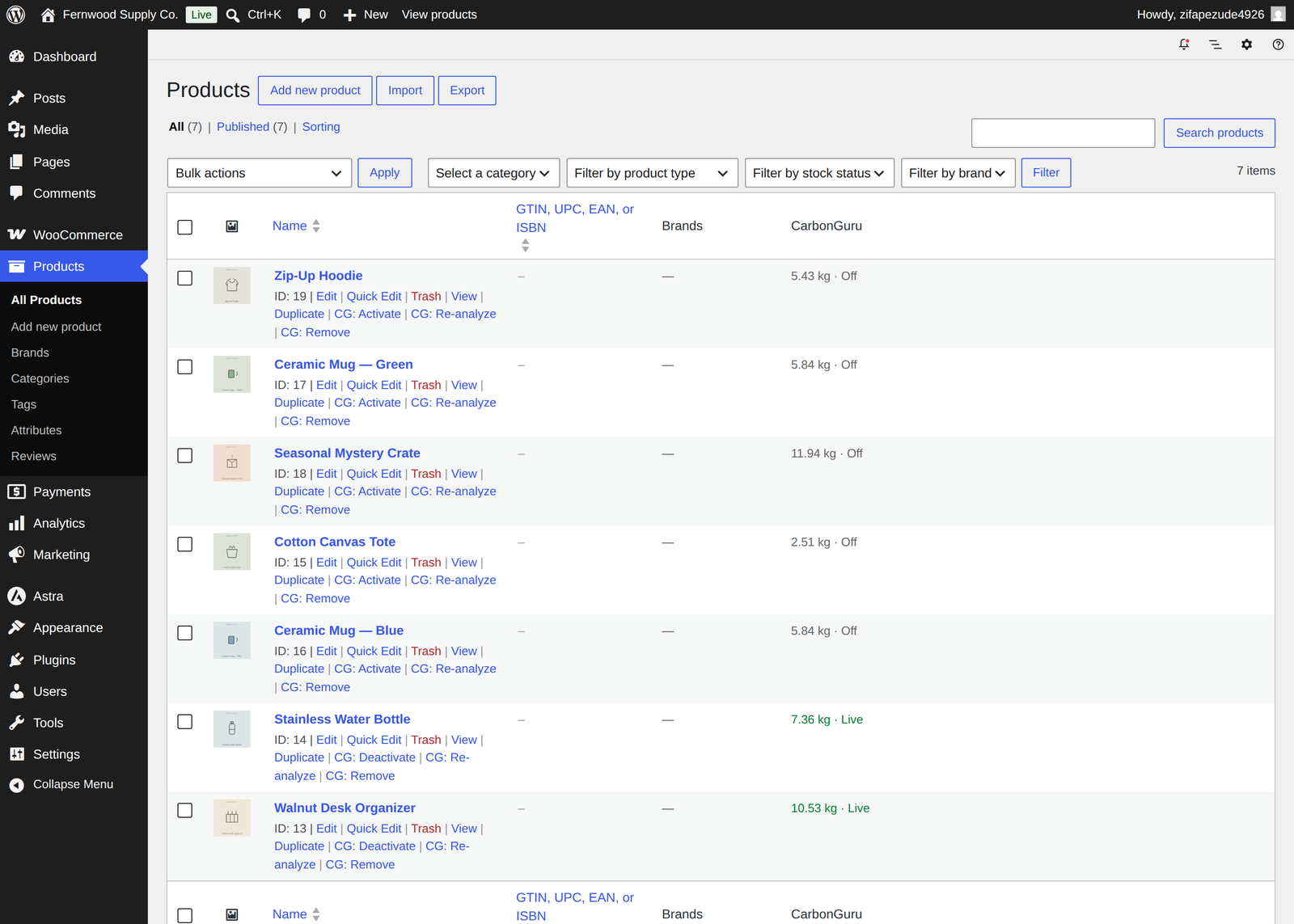
Install the CarbonGuru Embedded Merchant Offsetting plugin from the WordPress plugin directory, open WooCommerce → CarbonGuru and connect your CarbonGuru account — keys and card placement are handled for you. Send your catalog for analysis, then switch products on from your WooCommerce Products list (Activate, Deactivate, Re-analyze and Remove are row actions) or from your CarbonGuru panel. A Display option adds footprint tiles to your shop and category pages.
The WooCommerce plugin →What about Stripe, PayPal or a custom store?
Stripe: install the CarbonGuru Offsetting app from Stripe. It reads your Stripe products and prices, calculates a footprint for each, writes one footprint line into the descriptions Stripe shows on hosted Checkout, Payment Links, the customer portal and invoices — for products sold at a single price, since a Stripe product’s description is shared by all of its prices — and offsets every paid invoice and completed Checkout Session automatically. That covers any business that bills through Stripe — Stripe Invoicing, Stripe Billing subscriptions, one-time products on Checkout or Payment Links — not only online stores. Lines with no Stripe product behind them (a hand-typed invoice line, an ad hoc price) are skipped.
PayPal or a custom store: your CarbonGuru panel lists a ready-made footprint line for every active product, keyed by your own product id or SKU, that you pass as the line item description so it prints on the checkout page. Your order handler then posts the paid order's product ids and quantities to your merchant endpoint, and the order is offset like any other. Footprint tiles work on any page, including pricing pages, with one line of HTML per product.
Set up the Stripe app → The manual Stripe and PayPal path →Do my customers pay for the offsets?
No. Offsetting is merchant-settled: purchases are billed to the payment method saved in your CarbonGuru account. Your shoppers never see a charge, a fee or a payment surface, and nothing about how your cart and checkout work changes — the footprints you switch on are the only thing added. What they see is proof on the page that the product's footprint is offset when they buy it.
Which offsets or removals does my store use?
Your choice. Automatic offsetting purchases from the carbon offset or carbon removal portfolio you select in your CarbonGuru account — offsets are verified projects that avoid or reduce emissions, removals take CO₂ out of the atmosphere at a higher price per tonne — and you can change your selection at any time.
Offsets and removals explained →Where do the carbon footprints come from?
Each product is analyzed individually by CarbonGuru from your actual product data, not estimated from order totals or category averages. You review every footprint before switching a product on; nothing displays and nothing is offset until you do.
How product footprints are measured →What data does CarbonGuru receive from my store?
Your product catalog, so it can be analyzed, and a notification for each paid order carrying the product ids, quantities, your order number and the currency. It never receives your customers' names, addresses, emails, phone numbers or payment details, and neither the storefront card nor any of the cart or checkout blocks set cookies or send anything your shopper types.
Uninstalling the Shopify app disconnects that store: the app's access is revoked, that store's footprints stop showing on your storefront, and no further orders from it are reported. Your CarbonGuru account, your saved payment method, your purchase history and any other store you have connected are not affected — reinstall, connect again and run Analyze my catalog to resume. Deactivating the WooCommerce plugin disconnects that store the same way. Forty-eight hours after an uninstall Shopify asks us to redact the store, and that store's order references are replaced with irreversible hashes. To close your CarbonGuru account and delete your data, use My Account → Cancel Account on carbonguru.io.
Privacy policy →What does it cost?
Embedded Offsetting is included with a CarbonGuru account on the Plus plan or higher. The Shopify app and the WooCommerce plugin are free and make no charges; CarbonGuru bills Embedded Offsetting to your CarbonGuru account. Offset and removal purchases are billed to your saved payment method at the price shown in your panel, and every purchase appears there. Retired carbon cannot be un-retired, so offset purchases are final.
Plans and pricing →Can I pause or turn it off?
Any time. Pause automatic offsetting from the Shopify app page or your CarbonGuru panel, switch individual products off, untick the display options for the cart and checkout, or uninstall the app or plugin — disconnection is immediate, server-side and scoped to that store: your CarbonGuru account and any other store you have connected carry on. Orders already offset stay offset. To close your CarbonGuru account entirely, use My Account → Cancel Account.
Merchant Terms →Announcements & Updates
Latest from CarbonGuru
Stay informed about new features, climate insights, and ways to maximize your impact.
-
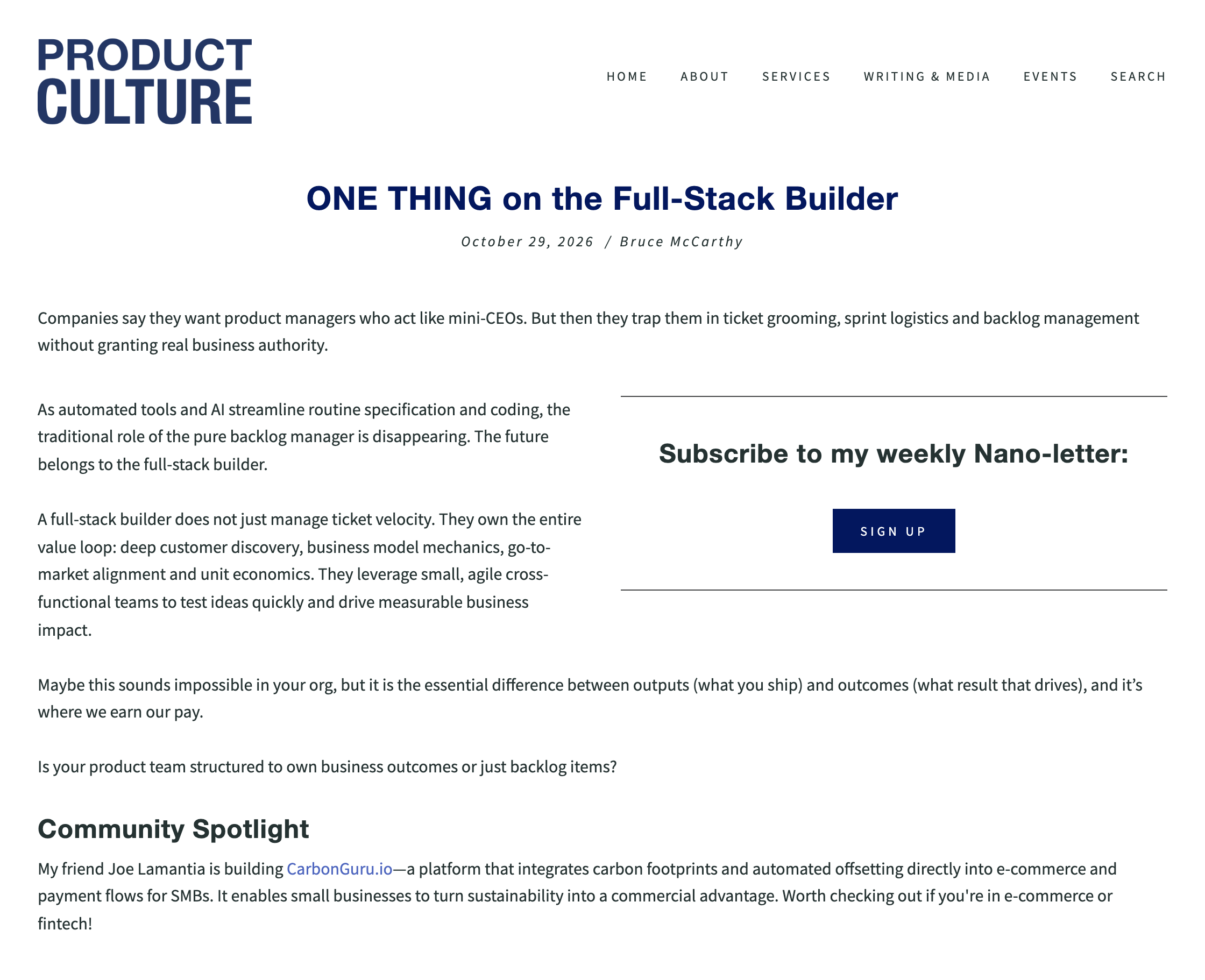
CarbonGuru in the Product Culture Community Spotlight
Read Article →: CarbonGuru in the Product Culture Community SpotlightBruce McCarthy featured CarbonGuru in the Community Spotlight of ONE THING on the Full-Stack Builder, his weekly Product Culture nano-letter of October 29, 2026. The central theme is product managers…
Recent Posts
Offset every product you sell.
Connect your store and review every product’s footprint before anything shows. Orders are previews, with nothing charged, until you turn on automatic offsetting. Your customers are never charged, and your checkout works as it does.
For every platform: WooCommerce · Shopify · Stripe · PayPal or custom checkout
Included with every paid plan · Pause or disconnect any time · Already a customer? Sign in