
Embedded Offsetting lets you show your products’ real carbon footprints on your store and offset every customer order automatically. Until now it fit stores that could run our snippet on their pages. This update brings it to checkouts you don’t host — Stripe Checkout, Payment Links and PayPal Checkout — and to pages that list several products at once.
Footprints on your checkout page
Stripe Checkout, Payment Links and PayPal Checkout print each item’s description, and that description comes from you. Your setup panel now lists a ready-made footprint line for every active product, matched to the product identifier your checkout already uses. Pass it along as the item description and it appears at checkout. Selling through Payment Links? Paste it into the product’s description in your Stripe Dashboard. Copy the lines from the panel or download them as a CSV.

Footprints on pricing and listing pages
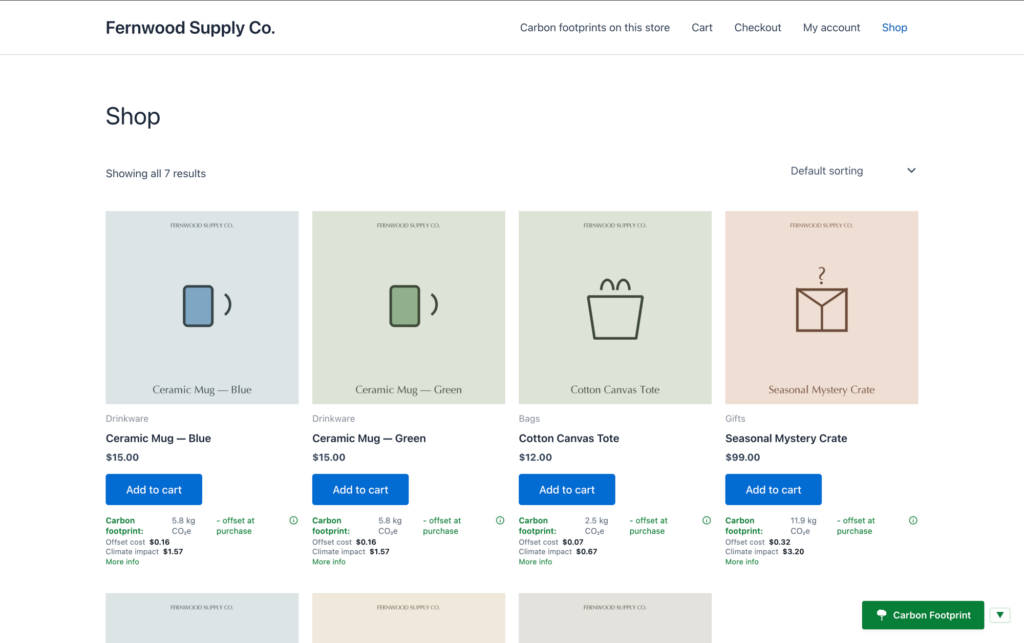
Show a footprint for every plan or product on one page. The panel gives you a tiles block: paste it once, then drop one tile wherever a product sits on the page.
Automatic offsetting from any checkout
Your checkout already tells your own system when an order is paid. Add one small step there to tell us too, and every paid order is offset on your saved card. The panel shows the exact call to make, with your own address and a real product identifier filled in. Subscriptions are offset at signup and on every renewal. Test-mode orders show up as previews and are never charged.
See every order arrive
Your setup panel once again lists every order we receive from your store, including previews and anything we could not match, with what matched and how much carbon. When you send a test order you’ll see it land right there.
Simpler to connect
Stripe merchants can upload their product export straight from the Dashboard and we pick up each product id for matching. You don’t hand us any Stripe or PayPal keys, and we never write into your processor account.
Availability
Included with Plus, Pro and Prime plans, live now. WooCommerce and Shopify merchants keep the same setup as before. Open Embedded Offsetting in your account to get started, see it in action on the demo store, or read more on CarbonGuru for Commerce.